Enterprise teams often evaluate direct mail software the same way they would evaluate a print vendor. They compare turnaround times, format options, and cost per piece.
Those factors matter, but they do not show whether a platform can support a modern direct mail program. The more important questions are whether the software can connect to customer data, personalize each mailpiece automatically, trigger campaigns from customer behavior, and provide visibility after mail enters production.
The right direct mail personalization software brings those capabilities into one connected workflow. This guide covers what enterprise teams should look for, which integrations matter, and the red flags that can create problems as campaign volume grows.
What direct mail personalization software does
Direct mail personalization software connects customer data with the creation, production, and delivery of physical mail.
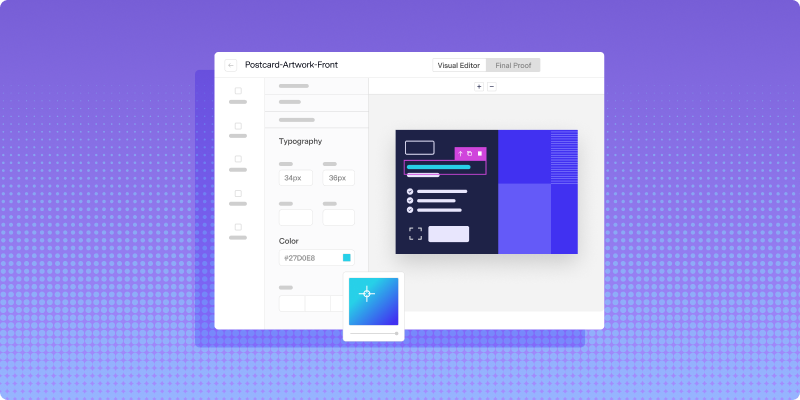
Instead of preparing one static file and sending it to a printer, teams can use reusable templates that pull in recipient information automatically. The content of each mailpiece can change based on purchase history, account status, lifecycle stage, location, or previous engagement.
The software can also determine when a piece should be sent. A postcard might be triggered when a customer abandons a cart, while a letter could be generated when an account reaches a renewal date.
Once the campaign launches, the platform coordinates production and returns information about individual mailpieces. That replaces the traditional workflow of exporting lists, exchanging files over email, waiting for proofs, and relying on estimated delivery windows.
For enterprise teams, the goal is not simply to print personalized mail. It is to connect physical mail with the same customer data and automation systems already powering digital campaigns.
Why personalization matters for enterprise direct mail
Customers already receive personalized messages through email, websites, apps, and advertising. Sending everyone the same postcard can feel disconnected from the rest of that experience.
Personalized direct mail gives the message a clearer reason to matter. A retailer can feature products related to previous purchases. A subscription company can adjust its renewal message based on account status. A financial services organization can send different information depending on the service a customer uses.
At enterprise scale, this cannot depend on manually creating multiple versions of every campaign. One approved template should be able to generate thousands of variations without requiring a designer to create a separate file for each audience segment.
Lob’s guide to automating personalized direct mail at scale explains how customer data, reusable creative, triggers, and measurement can work together without turning each send into a manual project.
Core capabilities to look for
Direct mail personalization platforms vary widely. Some support only basic merge fields, while others connect data, automation, production, and measurement in one system.
Dynamic templates and variable data
Variable data printing allows text, images, offers, and other elements to change from one mailpiece to the next. The platform uses one reusable template while customer data determines what each recipient sees.
Basic personalization might add a name or address. More advanced campaigns can change headlines, product images, nearby locations, expiration dates, personalized URLs, and QR codes.
During evaluation, ask how the platform handles both text and image variables. It should also support conditional logic so a section appears only when the recipient meets a specific requirement.
Triggered and behavior-based campaigns
Batch campaigns still have a place in direct mail, but enterprise teams also need the ability to send mail based on individual customer events.
Account creation, cart abandonment, loyalty milestones, renewal dates, missed payments, and periods of inactivity can all become triggers. These sends make direct mail more timely because the message reaches the customer in response to something specific.
Lob’s guide to triggering direct mail from CRM events shows how these workflows can connect customer events, personalization, production, and tracking.
API access and marketer-friendly workflows
Enterprise organizations often need more than one way to use the platform.
Developers may want API access so they can build direct mail into applications or internal systems. Marketing and operations teams may need a dashboard that allows them to launch campaigns without engineering support.
A platform that supports only one of those workflows can create bottlenecks. The strongest option should support both API-driven and no-code workflows without creating separate systems that are difficult to govern.
Data and integration requirements
Personalization is only as useful as the data available to the platform.
Without integrations, teams are limited to exporting customer information, cleaning spreadsheets, and uploading new lists before every campaign. That process takes time and increases the risk of outdated or incorrectly matched data.
CRM and customer data connections
A CRM or customer data platform contains the information that makes personalization meaningful, including account history, purchases, engagement, location, renewal dates, and communication preferences.
Connecting those systems to the direct mail platform allows campaigns to use current data without repeated exports. Campaign and delivery events should also flow back into the organization’s systems rather than remaining isolated inside the direct mail platform.
Marketing automation integrations
Direct mail becomes more useful when it can be included in the same workflows as email, SMS, and other channels.
A customer might receive an email first. If they do not respond, the marketing automation platform can trigger a postcard. Once the piece is expected to arrive, the workflow can schedule a follow-up email or sales task.
Lob’s integrations help teams connect direct mail with the systems already managing customer data and digital engagement. When evaluating integrations, determine which trigger types, campaign actions, and status events the connection actually supports.
Address verification and data quality
An accurate customer profile is not useful if the mailing address is incomplete or undeliverable.
Built-in address verification helps standardize addresses and identify problems before mail enters production. It should be part of the workflow, not a separate process that requires teams to clean data in another system before every campaign.
Enterprise teams should also ask how the platform supports address updates and change-of-address processing.
Automation features that reduce manual work
Personalization alone does not solve the operational problems associated with direct mail.
Teams can still lose time to list preparation, proofing, approval chains, and production coordination. Reusable templates help avoid rebuilding creative for recurring programs, while automated rendering shows how customer data will appear before production.
Approval controls should give the right stakeholders a clear way to review campaigns without relying on long email threads. Scheduled and triggered sends should remove the need to submit every campaign manually, and production updates should appear in the platform rather than requiring a call to the printer.
The goal is not simply to send mail faster. It is to create a repeatable process that requires less manual oversight as volume increases.
Personalization beyond a first name
Many platforms describe basic mail merge as personalization. For enterprise campaigns, that is not enough.
Relevant direct mail may include a different product image based on purchase history, a nearby location based on geography, or an offer based on the customer’s relationship with the brand. Personalized URLs and dynamic QR codes can also direct each recipient to a relevant digital experience while supporting measurement.
When evaluating vendors, ask them to demonstrate how dynamic content works inside a real template. Can images change for each recipient? Can sections appear or disappear based on customer data? Can different offers and calls to action come from the same campaign? Can the system generate unique tracking elements?
The answers reveal whether the platform supports meaningful personalization or simply adds a few merge fields to a static design.
Print quality and production reliability at scale
Direct mail software still depends on physical production.
The same digital file can produce different results when jobs are distributed across facilities with different equipment, materials, and quality standards. At enterprise volume, those inconsistencies can become visible across thousands of mailpieces.
Ask how print partners are selected, how facilities are audited, and how color and material standards are maintained. The provider should also explain how jobs are rerouted if a facility reaches capacity or experiences a disruption.
A distributed print network can provide flexibility, but only when the platform applies consistent requirements across every location.
Tracking, analytics, and direct mail measurement
Traditional direct mail often becomes difficult to monitor after production begins.
A printer may provide a drop date, but that does not show whether individual pieces are progressing through delivery or when recipients are likely to receive them.
Modern software should provide mailpiece-level production and delivery visibility. Lob explains how teams can track direct mail campaign performance in real time and use status events to coordinate follow-up across other channels.
Personalized URLs, offer codes, website activity, and CRM conversions can help connect mail with customer response. Dynamic QR code tracking can also connect each piece with a recipient-specific digital experience and return engagement data to the CRM.
Measurement should not require manually combining reports from the printer, CRM, and analytics platform after every send.
Security and compliance requirements
Direct mail campaigns can involve names, addresses, account information, protected health information, and other sensitive data.
Enterprise teams need to understand how that data is handled throughout the workflow, including production. Ask vendors about encryption, access controls, data retention, audit logs, print facility requirements, and incident response procedures.
Organizations in regulated industries should also review certifications and documentation related to their specific obligations. A vendor should be able to explain its security posture clearly. Vague assurances without supporting documentation are a warning sign.
Red flags when evaluating platforms
A platform may look capable during a product demonstration but fall short when enterprise requirements are examined closely.
Limited personalization is one warning sign. If the system supports only names, addresses, and a few text fields, it may not provide enough flexibility for advanced campaigns.
Weak integrations create another problem. A vendor may claim it can connect with your stack while relying on custom development for every workflow, increasing implementation time and maintenance.
Estimated delivery windows should not be presented as detailed tracking. Ask what information comes directly from production and postal data and what is simply calculated from the mailing date.
Finally, investigate the physical print network. A polished campaign interface cannot compensate for inconsistent production or unreliable fulfillment.
Choose a platform built for enterprise personalization
Choosing direct mail personalization software requires evaluating more than creative tools and print prices.
The platform should connect to customer data, automate campaigns from creation through delivery, support meaningful personalization, and provide visibility after each piece enters production.
It should also meet the operational requirements that become more important at scale, including data security, address quality, print consistency, workflow controls, and integration flexibility.
Lob brings those capabilities into one platform. Enterprise teams can connect direct mail to existing systems, personalize campaigns with customer data, automate triggered sends, manage production through a nationwide network, and track mailpiece activity throughout the process.
Book a demo to see how Lob can help your team build a more personalized and connected direct mail program.
Frequently asked questions about direct mail personalization software
FAQs

How is direct mail personalization software different from a traditional print vendor?
Direct mail personalization software connects customer data, campaign creation, production, and tracking in one workflow. Traditional print vendors typically focus on producing and mailing finished files, which can leave teams responsible for list preparation, file transfers, campaign triggers, and performance reporting.
Can direct mail personalization software handle HIPAA-regulated data?
Some platforms support HIPAA-compliant workflows and offer Business Associate Agreements for eligible customers. Before choosing a vendor, confirm its certifications, security controls, print-facility requirements, and procedures for handling protected health information throughout production and delivery.
How long does it take to implement enterprise direct mail personalization software?
Implementation time depends on the complexity of the campaign, the systems being connected, and the level of customization required. Prebuilt integrations and well-documented APIs can shorten the process, while custom data flows, security reviews, and complex approval requirements may require more time.
Which team typically owns direct mail personalization software in an enterprise?
Ownership is often shared. Marketing usually manages campaign strategy, audiences, creative, and performance, while engineering or operations supports implementation, integrations, data governance, and production workflows. Security, legal, and compliance teams may also participate when campaigns involve sensitive or regulated information.
Answered by:

Sam Melero
.png)