.avif)

Most direct mail programs still run the way they did a decade ago: static lists, batch sends, and timelines that stretch across months before a single piece hits a mailbox. If that sounds familiar, you already know how much opportunity gets lost in the wait.
There's a fundamentally different approach. Direct mail automation lets you trigger personalized mail based on real customer behavior — just like email or paid media. When you can trigger mail within days of a customer action—instead of months—you catch lapsed customers before they leave, reach prospects while they're still considering, and drive repeat purchases. Here's how to make it happen.
Improve direct mail response and ROI with automation
When direct mail runs on manual workflows, your team can't react in real time. Every campaign becomes a project with its own timeline, vendor coordination, and approval cycle — which means you're always planning months ahead instead of responding to what customers are doing right now.
Automation flips that model. Instead of scheduling sends around internal timelines, you trigger mail based on customer behavior — the same way you'd set up an email drip or a paid retargeting campaign. Common triggers include:
- Cart abandonment or incomplete applications
- Repeat visits to a pricing or product page
- Lapsed customer activity after a set period
- CRM status changes like a lead moving to a new stage
- Offline events like a store visit or consultation request
This precision changes what direct mail can do for you. Instead of broad batch sends, you're reaching the right person at the right moment — with content personalized to what they actually did. That's where response rates improve—often by 2–3x compared to batch sends.
Where traditional direct mail workflows break down
Technology compresses what used to take months into days—by automating the steps that traditionally required manual handoffs between teams that don't share systems or data. In a traditional workflow, creative, proofing, list formatting, postage, production, mailing, and reporting all happen in sequence, often across different vendors and platforms. Each handoff adds time and risk.
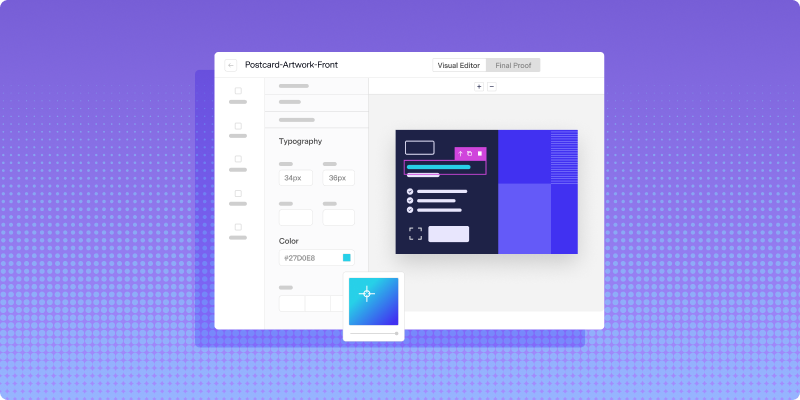
With a platform like Lob, those steps collapse. You build campaigns programmatically, connect directly to your CRM and existing marketing tech stack, and trigger sends without coordinating between multiple parties. The result: your marketing, CX, and growth teams can all run direct mail campaigns—not just the one team that knows how to navigate vendor relationships.
See exactly where your mail is at every stage
When you're managing multiple print vendors across different platforms, you lose sight of where your mail actually is. That's not just an inconvenience—it means you can't measure campaign performance, you can't prove compliance, and your other systems are working with outdated information.
Lob's Print & Mail and Address Verification APIs give you trigger-based direct mail connected directly to your CRM and marketing automation platform. That connection gives you real-time visibility across the entire lifecycle of every piece you send — from production through delivery.
Here's what that visibility gives you:
- Performance tracking: Follow every piece from production through delivery so you can measure results and make informed decisions
- Compliance reporting: Pull mail status and history on demand to meet regulatory requirements
- Real-time status updates: Push live mail statuses into your CRM, marketing automation, or other connected systems so they stay current
Say you're a financial services company that sends out 15,679 pieces of mail on 05/28. You can track that entire volume in real time — seeing the percentage physically mailed, in transit, processed for delivery, re-routed, and returned. Whether you send 100 pieces or 100 million, the same visibility applies.
How Lob replaces your manual direct mail process
Most teams juggle multiple vendors for creative, printing, routing, and tracking. We consolidate all of that—so you stop coordinating vendors and start focusing on response rates, delivery timing, and cost per piece.
- In-mailbox date targeting: Set the date you want mail to arrive, and Lob works backward to build your production timeline
- Postal IQ routing: Lob's routing intelligence selects the most efficient USPS entry point for every piece, so mail arrives faster and more cost-effectively
- Nationwide Print Delivery Network: Mail is produced near its final destination, reducing transit time and keeping quality consistent at scale
The result: direct mail that triggers in hours, lands when you target it, and reports back like email—without the spreadsheets and vendor calls.
Frequently asked questions
FAQs

What is direct mail automation?
Direct mail automation triggers personalized mail based on customer behavior or CRM data—no manual production required.
You set the conditions once. When a customer hits that condition—cart abandonment, a stalled application, a missed renewal—mail goes out automatically.
What kinds of triggers can activate a direct mail automation campaign?
The trigger itself is less important than the connection. Common examples include:
- Cart abandonment or checkout drop-off
- Repeated visits to a product or pricing page
- A CRM status change (new lead, lapsed customer, stalled application)
- Missed renewal or expiration dates
- Compliance-driven events, like a new account opening or required disclosure
- Offline events, like a completed in-store visit or a submitted form
Can direct mail connect to my CRM?
Yes—here's what that looks like in practice.
You can trigger mail based on CRM events, track delivery status back inside your CRM, and tie response data to individual customer records. A lapsed customer hits a re-engagement threshold — mail goes out. A piece is delivered — that event updates the contact's timeline.
What are the key steps in a direct mail automation strategy?
Here's the structure that works:
- Define your audience and triggers. Who receives this mail, and what action — or inaction — sets it in motion?
- Build and personalize your creative. Postcards, letters, checks — the format should match the goal. Personalization beyond the name (offer, timing, product reference) tends to drive better response.
- Connect your mail platform to your data. Without this, you're still running a manual process—just with newer tools.
- Track and measure. Monitor key direct mail KPIs like production status, in-home delivery timing, and downstream response. Use that data to refine targeting and timing on the next send.
Answered by:

Sam Melero