
Most marketing teams still treat direct mail as a separate channel. It runs on its own calendar, through a different vendor, and with reporting that rarely connects to email, advertising, or SMS.
Meanwhile, digital channels operate through coordinated workflows triggered by customer behavior. An abandoned cart can launch an email sequence, update an advertising audience, and send an SMS reminder within minutes. When direct mail sits outside that system, campaigns lose momentum and customers receive disconnected messages.
Direct mail orchestration closes that gap. It allows teams to trigger physical mail using the same behavioral signals that power digital campaigns, coordinate delivery with email and advertising, and suppress sends when someone has already converted.
This guide explains how to orchestrate direct mail with digital channels, build behavior-based workflows, coordinate timing, and avoid the operational issues that commonly disrupt cross-channel campaigns.
What orchestrating direct mail with digital channels looks like
Marketing teams orchestrate direct mail with email and digital channels by connecting physical mail to automated, event-based workflows.
When a customer abandons a cart, reaches a lead-score threshold, browses a product page without purchasing, or approaches a subscription renewal, that activity can automatically trigger a personalized mailpiece.
The difference between basic multichannel marketing and orchestration is coordination.
In a siloed program, the email team runs its campaigns while another team schedules quarterly mail drops. The channels operate independently, creating situations in which a customer receives a postcard promoting something they already purchased through an email campaign.
In an orchestrated program, each channel responds to the same customer journey.
For example:
- A customer abandons a cart on Tuesday.
- They receive an email reminder on Wednesday.
- A personalized postcard enters production automatically.
- The postcard arrives as the email sequence concludes.
- The customer is removed from the workflow if they complete the purchase.
A siloed approach runs mail according to a fixed campaign calendar, regardless of digital engagement.
An orchestrated approach triggers mail from customer behavior, coordinates it with digital messaging, and uses suppression rules to prevent unnecessary sends.
Why orchestrated campaigns outperform isolated sends
Each marketing channel has different strengths.
Email is fast and inexpensive, but messages are easy to overlook. Digital advertising maintains visibility, but it can feel impersonal or blend into the surrounding content. Direct mail provides a tangible touchpoint that can remain in a customer’s home or workspace after a digital impression disappears.
Coordinating those channels creates repeated exposure across multiple formats. A prospect may see an advertisement, open an email, and later receive a related postcard. Consistent messaging across those interactions builds recognition and reinforces the offer.
Orchestration also gives customers multiple ways to engage. Someone who rarely opens promotional emails may respond to a postcard. Another customer may notice the mailpiece but ultimately convert through a follow-up email or retargeting ad.
The primary benefits include:
- More opportunities to engage: Customers can respond through the channel that works best for them.
- Stronger message recognition: Consistent creative and offers reinforce one another across physical and digital formats.
- Better timing: Behavioral triggers help mail arrive during a relevant stage of the customer journey.
- Less wasted spend: Suppression rules prevent mail from going to people who already converted or no longer qualify.
- Clearer measurement: Connected delivery and response data provide a more complete view of campaign performance.
Digital channels that pair well with direct mail
Email is one of the most common channels to coordinate with direct mail. Teams can use it to introduce an offer before the mailpiece arrives, reinforce the message after delivery, or remind recipients before an expiration date.
A coordinated direct mail and email marketing strategy helps both channels reinforce the same message rather than operate as separate campaigns.
Direct mail can also help re-engage contacts who have stopped responding to email. Instead of continuing to send messages into an inactive inbox, marketers can trigger a postcard after a defined period of nonengagement.
Paid social advertising
Marketing teams can upload eligible mailing audiences to platforms such as Facebook or Instagram and create matched audiences for advertising.
When the mailpiece and social creative use the same message, imagery, and offer, customers are more likely to recognize the campaign across channels.
Direct mail can also support modern retargeting campaigns by adding a physical touchpoint before or after digital ad exposure.
SMS and push notifications
SMS and push notifications work well for time-sensitive follow-ups connected to mail delivery.
A text message might let a customer know that an offer has arrived or remind them to use it before it expires. Push notifications can serve a similar purpose for customers who actively use a brand’s mobile application.
These channels should complement the mailpiece rather than repeat the full message.
Display and programmatic advertising
Display advertising can reinforce a direct mail campaign before, during, and after expected delivery.
Teams can activate advertising when mail enters production, adjust targeting as delivery data becomes available, and continue retargeting recipients who have not yet converted.
Personalized URLs and QR codes
Personalized URLs and QR codes create a direct path from a physical mailpiece to a digital experience.
A QR code can take recipients to a campaign landing page, product page, scheduling tool, or personalized offer. Personalized URLs can connect individual site visits and conversions to specific recipients or mailpieces.
A structured PURL campaign tracking strategy can help teams measure those interactions more consistently.
Both options reduce response friction while improving attribution.
How to trigger direct mail from digital behavior
1. Define the behaviors that justify a mailpiece
Not every customer action warrants the cost of printing and postage. Focus on signals that demonstrate meaningful intent or indicate a valuable moment in the customer lifecycle.
Potential triggers include:
- Cart or application abandonment
- Repeated visits to a pricing or product page
- Trial or subscription expiration
- Upcoming renewal dates
- Loyalty milestones
- High lead scores
- Inactive or lapsed customers
- Declining email engagement
Evaluate each trigger based on customer value, likelihood of conversion, urgency, and the cost of sending the mailpiece.
Someone who visited a general blog post once may not justify a physical send. A prospect who returned to a pricing page several times or started an application without finishing may represent a stronger opportunity.
2. Connect your CRM, MAP, or CDP
Triggered direct mail depends on integrations that allow customer data and behavioral events to move between systems.
Your direct mail platform may connect with:
- Customer relationship management platforms such as Salesforce or HubSpot
- Marketing automation platforms such as Braze, Marketo, or Klaviyo
- Customer data platforms such as Segment
- Ecommerce platforms and internal databases
Lob supports no-code integrations and API-based workflows, allowing teams to choose an implementation method based on their technical resources and campaign requirements.
Teams can use direct mail automation to connect mail with their marketing technology stack and reduce the manual work required to move audiences between systems.
The goal is to make direct mail available inside the systems where marketers already build audiences, define triggers, and manage digital journeys.
3. Build qualification and suppression logic
Trigger rules determine who enters a direct mail workflow. Suppression rules determine who should be removed before the mailpiece is produced.
Suppression criteria may include:
- A recent purchase or conversion
- An expired or invalid offer
- An incomplete physical address
- A marketing opt-out
- An account cancellation
- A duplicate campaign enrollment
- A customer-service issue that makes the promotion inappropriate
For example, a workflow might trigger mail after cart abandonment but suppress the send if the customer completes the purchase within the next 48 hours.
Because physical mail cannot be recalled after it enters production, teams should apply suppression rules as close to the production cutoff as the workflow allows.
4. Personalize the mailpiece
Behavioral triggers provide context that can inform the message, offer, imagery, and call to action.
A cart-abandonment postcard might feature the product category the recipient viewed. A renewal reminder may include the customer’s renewal date. A loyalty campaign could reference the recipient’s membership tier or available reward.
Personalization should support the purpose of the mailpiece without creating unnecessary complexity or using customer data in a way that feels intrusive.
5. Coordinate the digital follow-up
Mail should not arrive as an isolated touchpoint.
Plan the email, advertisement, SMS message, or sales outreach that will follow delivery. When delivery data is available, teams can trigger those interactions based on the mailpiece’s progress rather than relying only on estimated timelines.
For example, a follow-up email could be sent after the mailpiece is expected to arrive, reminding recipients of the offer and giving them a digital way to respond.
How to coordinate timing across direct mail, email, and advertising
Timing is one of the most challenging parts of cross-channel orchestration because direct mail has production and postal transit windows that digital channels do not.
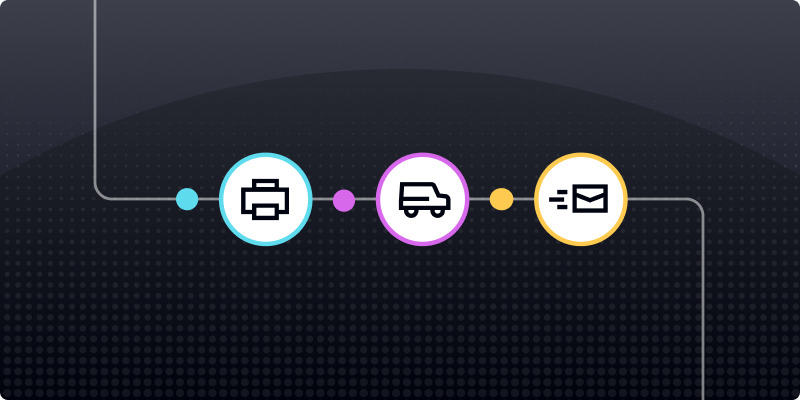
A digital message can be delivered almost immediately. A mailpiece must be generated, printed, processed, entered into the postal network, and transported to its destination.
Teams should work backward from the desired in-home date.
Calculate the expected production and delivery window, then determine when the mail trigger must occur. Digital interactions can be scheduled around that window.
A coordinated sequence might include:
- Before delivery: Send an introductory email or begin digital advertising.
- During the expected delivery window: Reinforce the campaign through paid social or display advertising.
- After delivery: Send an email, SMS message, or sales follow-up that references the offer.
- After conversion: Suppress the recipient from additional promotional touches.
Without delivery visibility, teams have to estimate when a mailpiece reached the recipient. That makes it harder to coordinate digital follow-ups or determine whether mail arrived before a conversion.
Lob’s production and delivery tracking gives teams greater visibility into mailpiece progress so they can coordinate related digital workflows more precisely.
Data and integrations that support orchestration
CRM and marketing automation data
Your CRM or marketing automation platform typically contains the customer attributes, behavioral history, and audience segments needed to trigger direct mail.
A direct integration allows mail to become another action inside an existing customer journey rather than requiring teams to export a list and send it to a separate print vendor.
Customer data platforms and first-party data
Customer data platforms unify activity from multiple channels and systems into a more complete customer profile.
This data can support more precise triggers, such as sending mail only when a customer meets several conditions across web activity, purchase history, and lifecycle stage.
First-party data also gives teams a consistent foundation for coordinating personalization across physical and digital channels.
Identity resolution and address quality
Identity resolution connects digital identifiers, such as an email address or customer ID, with a deliverable physical address.
Address-quality processes help verify, standardize, and update that information before production. These may include CASS processing, National Change of Address updates, and deliverability checks.
Teams can use an address verification strategy to reduce returned mail and improve the quality of triggered campaigns.
Poor address data leads to returned mail, unnecessary postage costs, and missed opportunities to engage customers. Address validation should therefore occur before a recipient enters production.
How to measure cross-channel performance
Matchback analysis
Matchback analysis compares the campaign mailing list with customers who later converted.
This provides a directional view of how many conversions were associated with mail recipients. However, it does not prove that direct mail caused those conversions because recipients may also have interacted with email, advertisements, or other channels.
Holdout and lift testing
Holdout testing separates an eligible audience into groups that do and do not receive direct mail. Comparing conversion rates between those groups helps teams estimate the incremental lift created by the mailpiece.
This is one of the strongest approaches for determining whether direct mail adds value beyond the digital campaign alone.
Multi-touch attribution
Multi-touch attribution distributes conversion credit across the interactions that contributed to a customer’s decision.
Including direct mail requires consistent identifiers and response tracking across channels. Delivery data, personalized URLs, QR codes, promotional codes, and CRM activity can make direct mail easier to incorporate into attribution models.
Teams should define how direct mail fits into cross-channel attribution before launching the campaign.
Establishing the measurement framework early helps ensure the necessary tracking is in place from the beginning.
Where orchestrated direct mail programs break down
Disconnected systems
When the CRM, marketing automation platform, and direct mail platform do not communicate, teams must move lists between systems manually.
Those manual exports and uploads create delays, introduce data errors, and make real-time behavioral triggers difficult to maintain.
Limited delivery visibility
Without insight into production and delivery progress, teams cannot accurately coordinate follow-up messages or determine whether a mailpiece arrived before a conversion.
The campaign may technically use several channels, but the timing remains disconnected.
Manual print-vendor handoffs
Sending files, approving proofs, and coordinating production through email introduces additional steps into every campaign.
These handoffs make it harder to respond quickly to customer behavior and increase the likelihood that a mailpiece will miss its intended window.
Stale or invalid addresses
Even a well-designed workflow fails when the underlying address is incorrect.
Address validation, deduplication, and change-of-address processing should occur before production so teams do not waste budget on undeliverable mail.
Missing suppression rules
Without suppression logic, customers may continue receiving promotional mail after converting, opting out, or becoming ineligible.
That wastes printing and postage while creating a disjointed customer experience.
Inconsistent messaging
Cross-channel coordination requires more than scheduling several touches around the same time.
The offer, creative, audience, and call to action should remain consistent across mail, email, advertising, and SMS. Conflicting messages can reduce recognition and confuse recipients.
Build an orchestrated direct mail program with Lob
Lob brings direct mail creation, production, and delivery into the marketing systems your team already uses. Integrations and API-based workflows allow marketers to trigger personalized mail from customer behavior, apply suppression rules, and reduce manual print-vendor handoffs.
Mail tracking data also gives teams greater visibility into delivery progress, helping them coordinate email, advertising, and other digital follow-ups around the physical mailpiece.
Connect direct mail to your cross-channel marketing workflows. Book a demo with Lob.
Frequently asked questions about orchestrating direct mail with digital channels
FAQs

How long does it take to launch a triggered direct mail program?
With the necessary integrations in place, many teams can launch a triggered direct mail program within a few weeks. The timeline depends on template design, workflow complexity, testing requirements, and the number of trigger scenarios being implemented.
What is a typical in-home delivery window for direct mail in an omnichannel sequence?
First-Class Mail often arrives within several business days after entering the postal network, but timing can vary based on destination, geography, and postal conditions. Teams should account for both production and transit time when scheduling email, advertising, SMS, and other digital touchpoints around expected delivery.
Can small marketing teams orchestrate direct mail without a dedicated operations team?
Yes. A direct mail automation platform can manage printing, production logistics, and delivery tracking, allowing marketers to run coordinated campaigns without overseeing multiple vendors or manual handoffs. Look for a platform that integrates with the CRM, marketing automation platform, or customer data platform your team already uses.
How do you suppress direct mail when a customer has already converted through email or paid advertising?
Create suppression rules that check for conversion events before the mailpiece enters production. Your direct mail platform must receive current customer-status data from your CRM, CDP, or marketing automation platform so it can remove customers who purchased, converted, opted out, or otherwise no longer qualify.
Answered by: