
Most SaaS teams treat direct mail like a separate channel: batch lists, manual uploads, and campaigns that run on their own timeline. But when direct mail connects to product signals and CRM data, it can support the same lifecycle moments your digital channels already respond to.
For teams evaluating how mail fits into a modern marketing stack, the right direct mail platform for in-house marketing teams can help connect direct mail to customer data, campaign workflows, and reporting across digital programs.
When a user hits a usage threshold or a deal moves to a new stage, that can become a trigger. This guide covers the product signals and CRM data worth watching, the technical approaches for connecting your systems, and the ways to measure whether direct mail is supporting the outcomes your team cares about.
What product signals and CRM data can trigger direct mail
You can connect direct mail to product usage signals and CRM data by using automation platforms like Lob. Lob helps teams turn customer behavior, CRM fields, and lifecycle milestones into automated mail campaigns that are tied to specific customer moments.
When you connect mail to what users actually do in your product, you move from broad batch campaigns to triggered sends that better match user behavior and timing.
Product usage and adoption signals
Feature activation, login frequency, and onboarding completion can show where a user is in their journey. A drop in logins may point to churn risk. A completed setup step may signal readiness for an upsell or a deeper product conversation.
The hard part is knowing which signals matter for your business and connecting them to your direct mail program.
Common product signals include:
- Feature activation: A user completes a key action, such as creating a report or inviting a teammate.
- Usage decline: Logins drop off, or a core feature goes unused for a set period of time.
- Onboarding milestones: A user finishes setup or skips a critical step.
Each of these moments can trigger a relevant mailpiece, such as a reminder, guide, offer, or account-specific message.
Intent and engagement signals
Website visits, content downloads, demo requests, and pricing page activity can all indicate buying intent. When a prospect engages with high-intent content but does not convert, a physical mailpiece can create another touchpoint outside of crowded digital channels.
Direct mail works best here when it reflects the action the person already took. For example, someone who viewed a pricing page should not receive the same message as someone who downloaded an introductory guide.
Lifecycle and milestone events
Trial expirations, renewal dates, subscription anniversaries, and onboarding deadlines are predictable. That makes them easier to automate.
A renewal reminder, thank-you note, or account-specific offer can be triggered based on CRM dates or product milestones. These campaigns are especially useful because they align mail with moments when the customer is already making a decision.
Churn and risk indicators
Negative signals like support ticket spikes, declining engagement, failed payments, or reduced product usage can trigger retention-focused mail. A physical piece can show that your team is paying attention when a customer is frustrated, inactive, or at risk.
These same signals can also support targeted winback campaigns when teams want to re-engage dormant customers using direct mail instead of relying only on email.
CRM fields that personalize and trigger sends
Your CRM holds the data that powers targeting and personalization, such as account tier, deal stage, industry, contact role, company size, renewal date, and lifecycle status.
Without clean CRM data, even strong triggers can create poor customer experiences. Mail may go to the wrong address, reference the wrong company information, or miss personalization fields that make the piece feel relevant.
How to connect product analytics to your direct mail platform
Getting product data into a direct mail system typically happens one of three ways: native integrations, APIs and webhooks, or a customer data platform.
Native integrations with product analytics tools
Some direct mail platforms offer prebuilt connectors to product analytics or customer data tools. A native integration is a preconfigured connection that reduces the need for custom engineering work.
This approach works well for teams that use common tools and want to connect standard events without building a custom integration from scratch.
API-based connections and webhooks
APIs and webhooks let you push event data from your product to your direct mail platform. A webhook is an automated message sent from one system to another when something happens, such as a user completing a key action.
This approach gives teams more flexibility because they can trigger mail from custom product events. It may require more engineering support, but it can support more specific and timely campaign logic.
Using a CDP as middleware
A customer data platform, or CDP, can sit between your product, CRM, and direct mail tool. This helps unify customer data before it is used across marketing, sales, and customer success programs.
This approach works well for teams with more complex data stacks that need to consolidate customer information before triggering campaigns.
How to pull CRM data into direct mail campaigns
CRM integration gives your direct mail platform access to the contact, account, and deal data needed to make campaigns more targeted and personal. Instead of sending the same message to every record, you can adjust mail based on where each contact is in the customer journey.
Syncing contact and account records
CRM records like contacts, accounts, and opportunities typically sync to a direct mail platform through native integrations or API connections. This sync can bring over fields like industry, account tier, lifecycle stage, and renewal date.
Those details help teams create mail that reflects the customer’s actual relationship with the business.
Address validation and identity matching
Address validation verifies and standardizes addresses before mail is sent. This helps reduce wasted print and postage by catching incomplete, invalid, or unmailable addresses before production.
Identity matching can also help connect digital customer profiles to physical mailing addresses when teams have customer information spread across multiple systems.
Real-time vs. batch data syncs
Real-time syncs allow teams to trigger mail shortly after a customer action or CRM update. This is useful for time-sensitive campaigns, such as trial expiration reminders or renewal outreach.
Batch syncs are often simpler to manage, but they introduce a delay. They can still work well for scheduled campaigns where timing is less urgent.
The end-to-end workflow for product-triggered direct mail
1. A user or account triggers an event
This could be a product event, such as completing onboarding, or a CRM update, such as a deal moving to a new stage. It may also be a lifecycle milestone, such as an approaching renewal date.
2. The system matches the event to a mailable record
Once the trigger fires, the platform connects the event to a person or account with a verified mailing address. This is where address validation and customer matching happen.
If no valid address is available, the send can be stopped before the mailpiece goes into production.
3. Personalized creative is generated
Relevant data, such as name, company, account type, lifecycle stage, or recent product activity, can populate a personalized mailpiece.
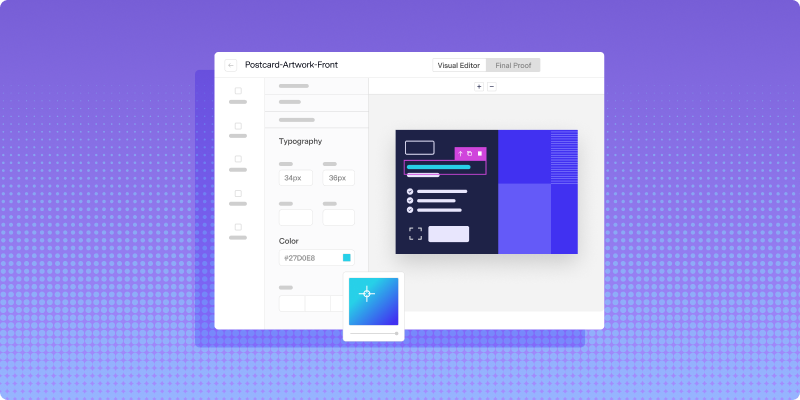
Lob supports both HTML-based templates and drag-and-drop design, so teams can choose the creative workflow that fits their skills and process.
4. Mail is printed, sent, and tracked
Once the mailpiece is finalized, Lob routes it through production and into the mail stream. Teams can track mail from creation through delivery events, giving them more visibility into when each piece is expected to arrive.
Lifecycle stages where product-triggered mail drives results
Onboarding and activation
Mail can reinforce digital onboarding with welcome kits, quick-start guides, or reminders to complete setup steps. If a user stalls during onboarding, a timely mailpiece can support the next action you want them to take.
Adoption and feature milestones
You can use mail to prompt users to try underused features or recognize them when they reach meaningful usage milestones. This works best when the message is tied to a real product behavior, not a generic promotional campaign.
Renewal and retention
Renewal reminders and retention offers can reach decision-makers who may not be engaging with email. Campaigns triggered by CRM renewal dates or churn risk signals can support outreach during the customer’s decision window.
Expansion and upsell
Direct mail can support upsell campaigns by delivering targeted upgrade offers, account-specific recommendations, or invitations to premium programs. Triggers based on product usage thresholds or account growth signals help make those campaigns more relevant.
How to measure direct mail performance against product outcomes
Better measurement starts with choosing systems that make it easier to get better reporting from your direct mail platform, from delivery visibility to campaign-level engagement data.
To understand whether product-triggered mail is working, teams need to connect mail activity to downstream outcomes, not just confirm that a piece was sent.
Tracking delivery and engagement
Delivery tracking, QR codes, and personalized URLs can help teams understand when mail arrives and how recipients engage. Lob surfaces mailpiece status throughout the production and delivery process, giving teams more visibility into campaign execution.
Attributing conversions back to mail
Connecting mail sends to outcomes like trial conversions, demo bookings, deal progression, renewals, or reactivations helps prove whether the channel is contributing to business results.
Holdout groups can also help teams compare performance between customers who received mail and customers who did not.
Connecting mail data to product analytics
Mail delivery and engagement data can be fed back into CRM, marketing automation, or product analytics tools. This helps teams evaluate direct mail alongside digital channels and understand how physical touchpoints contribute to the broader customer journey.
How to scale product-triggered mail without losing personalization
Automating triggers at volume
Automation allows teams to send individual pieces based on customer events without manually building a list each time. Teams can also set rules to avoid over-triggering the same contact, such as limiting sends to one piece per contact within a defined time period.
Dynamic personalization from CRM and product data
Personalization at scale means pulling fields like name, company, industry, lifecycle stage, usage milestone, or customer segment directly into your mail templates.
A postcard that references a relevant customer action will usually feel more useful than a generic campaign. The goal is not personalization for its own sake. It is using the data you already have to make the message timely and specific.
Maintaining address quality at scale
Address quality becomes more important as volume grows. Automated address verification before each send helps prevent teams from paying to print and mail pieces that cannot be delivered.
Lob validates addresses as part of the workflow, helping teams maintain quality as campaigns scale.
Common mistakes when connecting direct mail to your data stack
Treating direct mail as a disconnected channel
Running direct mail separately from digital programs can lead to inconsistent customer experiences. Customers may receive mail that does not match what they are seeing in email, sales outreach, or in-app messaging.
It also makes measurement harder because direct mail performance is not connected to the rest of the customer journey.
Ignoring address data quality
CRM address data can become incomplete or outdated over time. People move, records decay, and information may be entered inconsistently across systems.
Verifying addresses before each send helps protect campaign quality and reduce wasted spend.
Over-relying on batch sends instead of triggers
Batch campaigns still have a place, but they can miss the timing advantage that makes triggered mail useful. When teams tie mail to real-time product and CRM signals, they can send messages that align more closely with customer behavior.
Failing to close the attribution loop
Without tracking that connects mail delivery to business outcomes, it is difficult to prove whether direct mail is working. Measurement should be part of the campaign setup from the beginning, not something added after the campaign is already live.
Turn product and CRM data into a direct mail advantage
By turning product and CRM data into campaign triggers, SaaS teams can send mail that reflects what users are actually doing. That makes direct mail more timely, more relevant, and easier to measure against customer outcomes.
The strongest programs do not treat mail as a one-off channel. They connect it to the same systems that already power digital engagement, lifecycle marketing, and customer success.
See how Lob supports product-triggered direct mail by booking a demo.
FAQs: How SaaS teams connect direct mail to product signals and CRM data
FAQs

What CRM platforms integrate with direct mail automation tools?
Many direct mail automation tools integrate with common CRMs like Salesforce, HubSpot, and Microsoft Dynamics. Lob offers integrations and API-based options that help teams connect CRM data to automated direct mail workflows.
How do SaaS teams handle PII securely when connecting systems?
SaaS teams should use platforms with strong data protection, access controls, and compliance practices. Lob provides security and compliance features designed to support teams handling sensitive customer data in direct mail workflows.
What is the minimum data needed to trigger a direct mail send?
At minimum, you need a trigger event and a verified mailing address. Personalization fields like name, company, lifecycle stage, or account type are optional, but they can make the mailpiece more relevant.
How long does it typically take to set up product-triggered direct mail?
Setup time depends on the systems involved and the type of connection. Native integrations are generally faster to configure, while custom API or webhook connections may require more engineering support.
Can SaaS teams trigger direct mail from custom product events?
Yes. API and webhook connections can allow teams to trigger mail from custom events, such as feature usage, account changes, onboarding milestones, or retention signals.
Answered by:

Sam Melero