
Many insurers still manage direct mail through manual processes: exporting policyholder lists, emailing files to print vendors, waiting for proofs, and checking batch reports to confirm what was sent.
Those handoffs create delays and make it harder to manage time-sensitive communications. A renewal notice may miss its window, a cancellation warning may contain outdated information, or a service team may be unable to confirm where a policyholder’s document is in the mailstream.
Automated policyholder mail connects insurance systems directly to a print-and-mail platform. Communications can be triggered by policy events, personalized with policyholder data, sent to production, and tracked without relying on spreadsheets or manual vendor coordination.
What automated policyholder mail means in insurance
Automated policyholder mail begins with a connection between an insurer’s core systems and its print-and-mail platform.
When an event occurs in a policy administration system, claims platform, billing system, or CRM, it can trigger the appropriate communication. Policyholder data is added to an approved template, the document is sent to production, and mailing activity is recorded for tracking and reporting.
For example, a newly bound policy could automatically trigger:
- A welcome letter
- Policy documents
- ID cards
- A coverage summary
No one has to export a mailing list, create individual files, or email documents to a print vendor. Physical mail becomes part of the insurer’s automated customer communication workflow rather than a separate manual process.
Policyholder communications insurers automate by mail
The best candidates for automation are communications tied to clear policy or customer lifecycle events.
Welcome kits and new-policy packets
A welcome kit may include a declaration page, policy documents, ID cards, and an overview of coverage.
Automating the welcome process helps insurers send documents soon after a policy is bound and reduces the chance of missing or inconsistent materials. A timely, professional packet also reinforces the policyholder’s decision to purchase coverage.
Renewal and lapse notices
Renewal communications must reach policyholders early enough for them to review their coverage and take action.
Automated workflows can initiate a sequence based on the policy expiration date, such as an initial renewal notice followed by additional reminders. They can also trigger payment reminders, lapse warnings, or cancellation notices when billing status changes.
Direct mail can also support broader customer retention strategies by reaching policyholders with relevant reminders before they disengage or allow coverage to lapse.
Claims correspondence
Claims generate multiple communications that can be tied to status changes in a claims system.
Common examples include:
- Claim acknowledgments
- Requests for supporting information
- Status updates
- Coverage decisions
- Settlement letters
- Claim-closure notices
Automation helps ensure that the appropriate document is generated when a claim reaches a defined stage.
Coverage and account changes
When a policyholder changes an address, adds a driver, updates coverage, or modifies another policy detail, the system can automatically send a confirmation.
Depending on the change, the workflow may also generate updated ID cards, endorsements, or policy documents.
Retention and win-back campaigns
Retention campaigns differ from transactional policy notices because they are designed to encourage action rather than document a policy event.
A campaign might target policyholders who missed a payment, declined to renew, or meet another churn-risk criterion. Triggering these sends from current customer data makes the outreach more timely and relevant.
How policy lifecycle events trigger automated mail
Trigger-based workflows replace scheduled list pulling with communications initiated by events in the insurer’s systems.
New policy bind
When a policy is bound, the policy administration system can trigger a welcome packet automatically.
The strength of the integration determines how quickly the packet enters production and whether the correct policy details, forms, and state-specific documents are included.
Upcoming renewal window
Renewal workflows can begin a set number of days before expiration and continue with scheduled follow-ups.
Instead of relying on an employee to pull a renewal list, the workflow uses policy dates and predetermined business rules to initiate each communication.
Missed payment or lapse risk
A change in payment status can trigger an escalating series of communications, such as a payment reminder, lapse warning, and cancellation notice.
Automation is especially valuable when notices must follow defined timing or content requirements.
Claim filed or status changed
A newly filed claim can trigger an acknowledgment letter. Later status changes can initiate requests for documentation, progress updates, or settlement correspondence.
Address or coverage updated
Policyholder changes can trigger confirmation documents and update the data used for future mailings.
Running address verification before production can also reduce the likelihood that important documents are sent to incomplete or outdated addresses.
How automated insurance mail workflows work
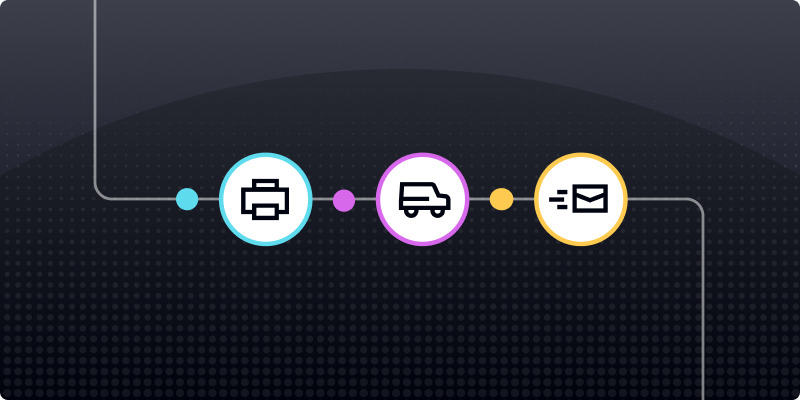
An automated workflow generally includes four connected stages: the trigger, document generation, production, and tracking.
API and no-code campaign setup
Insurers can create automated mail workflows through APIs, no-code tools, or a combination of both.
APIs support deeper connections with policy, billing, claims, and customer systems. They work well for real-time triggers, complex logic, and high-volume programs. Insurers evaluating this approach should consider how the platform supports API-driven direct mail automation across their existing systems.
No-code tools may be appropriate for simpler campaigns that operations or marketing teams need to launch quickly.
Integrations with core systems and CRMs
The platform must connect reliably to the systems where policyholder and policy data lives.
These may include:
- Policy administration systems
- Claims platforms
- Billing systems
- CRMs
- Customer communication management systems
Strong integrations allow data, triggers, and mailing events to move between systems automatically. Weak connections create manual workarounds that undermine the value of automation.
Address verification
Address verification checks policyholder addresses before documents are printed and mailed.
CASS-certified verification can standardize address information, correct certain formatting issues, add available ZIP+4 data, and identify addresses that may not match USPS records.
This reduces wasted print and postage costs while helping important documents enter the mailstream with better address data.
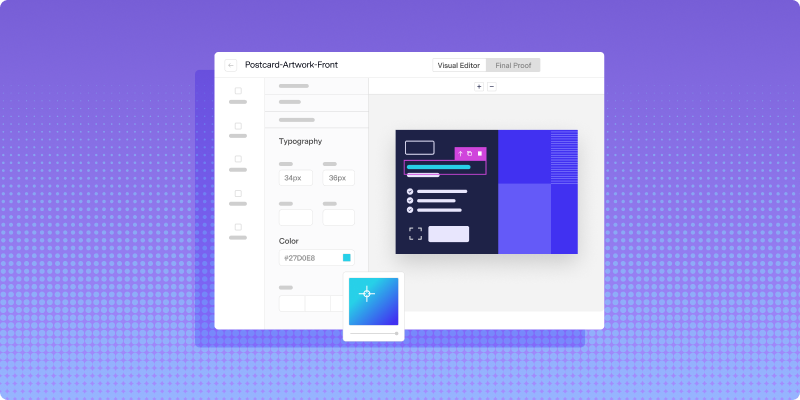
Automated proofing and approvals
Templates should be reviewed and approved before they are used in automated workflows.
A streamlined direct mail proofing process helps teams verify that variable data, disclosures, and document elements appear correctly without relying on long email chains with a print vendor.
Approval controls are especially important for regulated communications containing policy-specific details or required legal language.
How insurers personalize policyholder mail at scale
Automated mail can use policy and customer data to tailor each document beyond the policyholder’s name.
Personalized elements may include:
- Coverage limits and deductibles
- Policy effective and expiration dates
- Premium or payment information
- Agent or adjuster contact details
- Claim number and status
- State-specific language
- Relevant next steps
Variable data printing allows content to change from one mailpiece to the next based on the connected policyholder data. Conditional logic can also display different language based on policy type, state, claim status, or another field.
These capabilities make it possible to personalize direct mail at scale without creating every document manually.
However, personalization still depends on reliable source data. Automation can only place the correct information into a document when connected systems contain accurate and consistent records.
Compliance requirements for automated policyholder mail
Automating regulated communications does not eliminate compliance obligations. The platform and workflow must support the insurer’s requirements for data protection, timing, documentation, and access.
HIPAA considerations
Health insurers and other organizations handling protected health information may need vendors that support HIPAA-compliant workflows and will enter into an appropriate Business Associate Agreement.
Relevant controls may include encryption, restricted access, secure data transfer, and documented handling procedures.
SOC 2 and data security
Insurance mail often contains personally identifiable information.
Insurers should review the vendor’s security controls, including how data is stored, processed, transferred, and accessed. SOC 2 documentation can support the evaluation, but it should be considered alongside the insurer’s own requirements.
State-specific notice requirements
States may impose different rules for cancellation, nonrenewal, rate changes, and other policy communications.
Automated templates and workflow logic should support variations in:
- Required language
- Notice periods
- Document format
- Delivery method
- Policy type
Well-designed compliance workflows for regulated direct mail can help teams manage these variations without creating separate manual processes for every campaign.
Access controls and audit trails
Insurers should understand who can view policyholder data, edit templates, approve documents, and initiate campaigns.
Audit trails should record important activity, including template changes, approvals, submission events, and mailing statuses.
How to track automated policyholder mail
Automated tracking gives insurers more visibility than a basic batch-completion report.
Mailpiece-level tracking
An individual mailpiece can be assigned an Intelligent Mail Barcode and associated with USPS processing events.
This can help teams determine whether a piece entered the postal network and how it progressed through USPS facilities. These scans provide useful visibility, but they should not be treated as guaranteed confirmation that a carrier placed a specific piece in a policyholder’s mailbox.
Production and USPS tracking
A platform with production tracking can show what happened before mail entered the postal network, including when a campaign was approved, printed, and handed off for mailing.
USPS scan data can then provide additional visibility as mail moves through processing facilities. Together, these events help customer service and operations teams investigate delays and answer policyholder questions.
QR codes and personalized URLs
QR codes and personalized URLs connect physical mail with digital action.
They can show whether a recipient visited a renewal page, requested information, made a payment, or completed another measurable action after receiving a mailpiece.
Retention and conversion reporting
Mailing data can be connected with business outcomes such as:
- Renewal completion
- Payment recovery
- Policy retention
- Win-back conversion
- Digital account activity
- Claims-response rates
Real-time and near-real-time direct mail performance tracking gives teams a clearer picture of which campaigns are driving action.
Risks of manual or delayed policyholder communications
Manual print-and-mail processes introduce several operational and compliance risks:
Missed delivery windows: Renewal, lapse, or cancellation notices may enter production too late.
Manual errors: Employees may use the wrong list, address, template, or document version.
Inconsistent output: Communications may look different across vendors, departments, or policy types.
Limited visibility: Teams may know that a batch was submitted but not how individual pieces are progressing.
Weak documentation: Important approval, submission, and tracking information may be spread across emails and vendor reports.
For insurers, a delayed notice can affect customer retention, compliance documentation, and policyholder trust.
How to scale policyholder mail without adding more vendors
Insurers often build fragmented workflows involving a print vendor, lettershop, address provider, postage partner, and separate tracking tool.
Each handoff creates another opportunity for delays, data inconsistencies, and reporting gaps.
A unified direct mail platform can combine:
- Address verification
- Template management
- API and event-based triggering
- Print production
- Postal preparation
- Mail tracking
- Reporting
Lob brings these capabilities together in one platform, allowing insurers to connect policyholder events to physical mail workflows without coordinating each campaign across separate vendors.
Ready to automate policyholder communications while improving control and visibility? Book a demo with Lob.
Frequently asked questions about automating policyholder mail
FAQs

How long does it take to launch automated policyholder mail?
Implementation can take anywhere from a few days to several weeks, depending on integration complexity, template requirements, data mapping, security reviews, and approval workflows. A simple no-code campaign may launch quickly, while an API-based program connected to policy administration systems usually requires more planning and testing.
Is automated mail more cost-effective than in-house print operations?
It can be, particularly for organizations that want to avoid maintaining printing equipment, facilities, supplies, and dedicated fulfillment staff. Per-piece pricing, automated address verification, and consolidated production may also reduce waste, but the total savings depend on mailing volume and existing operational costs.
What is the difference between transactional and marketing policyholder mail?
Transactional mail is tied to a policy, billing, claims, or service event. Examples include renewal notices, ID cards, payment reminders, and claims correspondence, some of which may be legally required. Marketing mail is promotional outreach, such as cross-sell campaigns, retention offers, and win-back communications.
Answered by: