
Adding a first name to a postcard is easy. Making the entire message feel relevant to the recipient takes more thought.
The strongest personalized direct mail campaigns use customer data to decide what someone receives, when it arrives, and what action they should take next. The offer might reflect a recent purchase. The timing might line up with a renewal date. The call to action might send each recipient to a landing page created for their customer segment.
None of that has to be handled manually. With the right integrations, direct mail can use the same customer data, behavioral signals, and automated workflows that already support email and digital campaigns.
Here is how to connect direct mail to your broader marketing strategy, choose useful personalization data, and test your campaigns before scaling them.
What is personalized direct mail?
Personalized direct mail uses customer or prospect data to tailor the content, timing, offer, imagery, or call to action in a physical mailpiece.
Personalization can be as simple as including a recipient’s name or as advanced as changing the entire mailpiece based on purchase history, location, account status, browsing behavior, or lifecycle stage.
1. Connect direct mail to your omnichannel strategy
Customers do not experience your marketing channels separately. They may notice an offer in the mail, search for the brand on their phone, open a follow-up email later, and complete the purchase on a laptop.
Your direct mail strategy should account for that full journey.
Start by identifying the customer data and campaign signals already available across your systems. These might include:
- Email engagement
- Website activity
- Purchase history
- Abandoned carts
- CRM status changes
- Subscription or renewal dates
- Loyalty program activity
- Previous campaign responses
That information can help determine who receives mail, which message they see, and when the mailpiece enters production.
For example, a customer who abandons a high-value purchase might receive a postcard that reinforces the product they viewed. Someone approaching a subscription renewal might receive a reminder with account-specific details. A customer who stops opening emails could receive a physical offer through a channel that is harder to overlook.
When direct mail automation connects with your marketing technology stack, mail can respond to the same events that trigger email, SMS, advertising, or sales outreach.
The message should also remain consistent across those channels. If the postcard promotes one offer but the landing page shows another, the experience feels disconnected. Use the same language, imagery, expiration date, and next step wherever possible.
You can also coordinate follow-up activity around delivery. Once a postcard is expected to arrive, your team might send a related email, adjust an advertising audience, or notify a sales representative.
This does not mean every recipient should receive the same sequence across every channel. The goal is to use each channel deliberately based on the customer’s behavior and stage in the journey.
2. Use customer data to personalize the message
The data you use should change something meaningful about the mailpiece.
A first name can make the message feel more personal, but it rarely gives someone a reason to respond on its own. Stronger personalization reflects what the recipient needs, values, or is likely to do next.
Useful data may include:
- Products previously purchased
- Services viewed
- Customer location
- Account or membership status
- Purchase frequency
- Time since the last purchase
- Loyalty tier
- Renewal date
- Preferred product category
- Nearby store or service location
You do not need to use every available data field. Start with the information most likely to change the message or offer.
A retailer might feature a product related to the customer’s previous order. A healthcare organization might include details relevant to an upcoming appointment. A subscription company might adjust the message based on the customer’s renewal date or plan type.
Personalization can affect several parts of the mailpiece:
- Headline
- Body copy
- Offer
- Product recommendation
- Image
- Expiration date
- Location information
- QR code
- Landing page
- Call to action
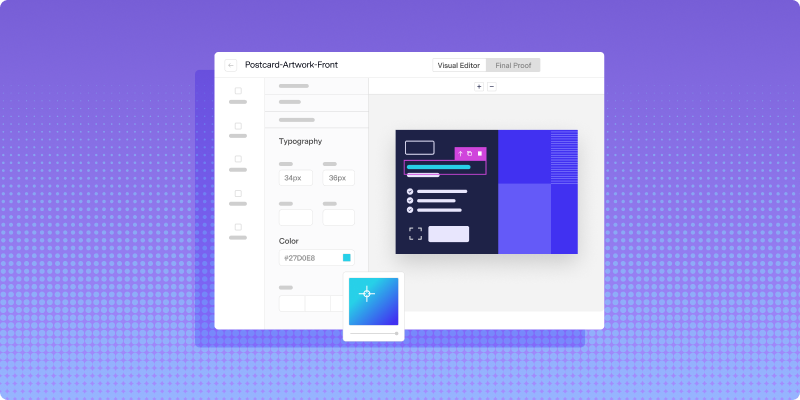
Teams can create personalized direct mail campaigns at scale by connecting customer data to flexible templates. The basic design stays consistent while selected elements change automatically for each recipient or segment.
Before building the campaign, define which data fields are required and what should happen when one is missing. If a template expects a recent product name but that information is unavailable, the campaign needs a default version that still reads naturally.
Review the quality of the data as well. Outdated addresses, duplicate customer profiles, inconsistent formatting, and incomplete fields can undermine an otherwise strong personalization strategy.
Address verification should be part of the automated workflow so records can be checked before mail enters production. Customer data should also be standardized across systems to prevent the wrong information from appearing in the final piece.
3. Choose the right triggers and audience segments
Timing is part of personalization.
A relevant postcard sent months after the customer action may no longer feel relevant. A simple postcard that arrives at the right moment can be much more effective.
Behavioral and lifecycle triggers can include:
- A customer abandoning a purchase
- A prospect requesting information
- An account becoming inactive
- A subscription approaching renewal
- A payment becoming due
- A customer reaching an anniversary
- A product becoming available again
- A lead moving to a new CRM stage
- A customer completing a first purchase
Define the trigger precisely before building the workflow. “Send mail to inactive customers” is too broad. A more useful rule might specify that the customer has made a purchase in the past, has not purchased within 120 days, and has not already received the reactivation campaign.
The workflow should also include exclusions and frequency limits. Consider:
- Who should not receive the campaign?
- How often can someone receive the same mailpiece?
- Can another customer action cancel the send?
- What happens when required data is missing?
- Should recent buyers be excluded?
- Should customers already contacted by sales be removed?
Segmentation helps you avoid forcing every recipient into the same message. You might separate first-time buyers, repeat customers, high-value customers, lapsed customers, and prospects into different groups.
Each segment should have a clear reason for receiving a different message. Creating dozens of nearly identical audience groups adds complexity without necessarily improving the campaign.
Modern direct mail personalization can go beyond basic name fields by adjusting the offer, timing, format, or creative based on the recipient’s behavior and relationship with the brand.
4. Automate the production workflow
Personalization becomes difficult to scale when each variation requires a new spreadsheet, manual merge, or separate production request.
A direct mail API can connect customer data directly to the mail workflow. Once the trigger conditions are met, the system can populate the template, verify the address, submit the piece for production, and return delivery updates.
This reduces the number of manual steps involved in:
- Exporting customer lists
- Matching data across systems
- Formatting addresses
- Creating individual creative files
- Sending files to a printer
- Checking production status
- Recording delivery activity
Automation also makes repeatable campaigns easier to maintain. Instead of rebuilding a renewal campaign every month, the workflow can continue running as new customers reach the defined renewal window.
Your team still needs to review the workflow carefully before launch. Generate test records for every major template variation and confirm that:
- The correct customer enters the campaign
- The intended template appears
- All personalization fields populate properly
- Long names or addresses fit the design
- Default copy appears when optional data is missing
- QR codes and URLs lead to the correct destination
- Exclusions prevent inappropriate sends
- Tracking data is recorded consistently
Automation does not fix a weak campaign strategy. It makes the chosen strategy faster and more repeatable. Resolve unclear rules, incomplete data, and template problems before increasing volume.
5. Test one campaign element at a time
Personalization should improve through testing, not assumptions.
Start with a specific question. You might want to know whether a personalized product image performs better than a general brand image, whether a deadline increases response, or whether one offer resonates more strongly with a certain customer segment.
Useful variables to test include:
- Headline
- Offer
- Image
- Call to action
- Mail format
- QR code placement
- Landing page
- Send timing
- Level of personalization
Change one meaningful variable while keeping the rest of the campaign consistent. If the audience, design, offer, and timing all change at once, you will not know which difference influenced the result.
A clear direct mail A/B testing process starts with a hypothesis, separates the audience into comparable groups, and gives each version its own response tracking method.
Use unique QR codes, personalized URLs, promotional codes, or dedicated phone numbers to connect responses to the correct version.
Delivery tracking can also help you define the response window. Knowing when the mail is expected to arrive makes it easier to determine whether a website visit, call, purchase, or account action happened after exposure to the campaign.
Teams that track direct mail performance in real time can compare results by audience, message, offer, or region while coordinating follow-up activity with other channels.
Do not scale a winning version based on a handful of responses. Run the test with enough recipients and allow enough time for delivery and customer action before drawing a conclusion.
Build personalization around relevance, not novelty
The goal is not to prove how much customer data you have. It is to send something that makes sense for the person receiving it.
Start with one clear audience, one useful trigger, and a small number of personalization fields. Make sure the data is accurate, the template works under different conditions, and the response can be measured.
Once that workflow performs reliably, you can introduce additional segments, offers, triggers, and creative variations.
Lob connects customer data, automated campaign triggers, dynamic templates, address verification, print production, delivery tracking, and reporting in one platform. Book a demo to see how your team can send personalized direct mail at
Frequently asked questions about personalized direct mail
FAQs

What is an example of personalized direct mail?
A retailer might send a postcard that features a product related to the recipient’s previous purchase. The postcard could include the customer’s name, a personalized offer, and a QR code leading to a landing page with related recommendations.
Other examples include renewal reminders with account details, location-specific offers, abandoned cart postcards, and reactivation campaigns based on the customer’s last purchase date.
What customer data can be used for direct mail personalization?
Businesses can use names, mailing addresses, locations, purchase histories, account information, product preferences, lifecycle stages, renewal dates, loyalty status, and behavioral activity.
Only use data that supports the campaign and can be handled appropriately under your company’s privacy, security, and compliance requirements.
How do you send personalized direct mail at scale?
Connect your CRM, ecommerce platform, customer data platform, or internal database to a direct mail automation platform.
Customer data can populate reusable templates automatically. Campaign rules determine who receives each mailpiece and when it is sent, while the platform manages address verification, production, delivery, and tracking.
How does personalized direct mail support omnichannel marketing?
Direct mail can use the same customer data and behavioral signals as email, SMS, digital advertising, and sales outreach.
Teams can coordinate messages across channels, send digital follow-ups around expected delivery, and use QR codes or personalized URLs to move recipients from a physical mailpiece to an online experience.
How should personalized direct mail be tested?
Choose one variable, create two controlled versions, divide the audience into comparable groups, and assign a trackable response method to each version.
After the mail is delivered, compare the results using metrics connected to the campaign goal, such as response rate, conversion rate, renewal rate, revenue, or cost per acquisition.
Answered by:

Sam Melero