August 11, 2016

Automation / Workflows

How to build a direct mail marketing growth engine

Close-up of a glowing blue button labeled 'GROWTH START' on a textured dark surface.

Let Lob streamline your mail, while you grow your business.

Red lobster holding a purple postcard with a blue stamp and wavy postmark lines.

For more information about how this data is handled, please view our Privacy Policy

One successful mail drop proves that an idea can work. A direct mail growth engine turns that result into a repeatable program.

Instead of rebuilding lists, creative files, and reporting for every campaign, your team uses customer data to decide who receives mail, what they see, when the piece goes out, and how the response is measured. Each campaign then gives you information that can improve the next one.

The process starts with CRM data, continues with connected automation, and depends on a measurement plan that shows what to keep, change, or scale.

What is a direct mail growth engine?

A direct mail growth engine is a repeatable system for using customer data, automated workflows, personalized creative, and campaign measurement to improve direct mail performance over time.

It connects direct mail to the systems your team already uses, such as a CRM, ecommerce platform, customer data platform, or marketing automation tool. Customer actions can trigger relevant mail, while campaign data flows back into your reporting and customer records.

Step 1: Use CRM data to find the right audience and message

Your CRM contains more than names and addresses. It can help you understand where customers are in their journey and what kind of message may be useful to them.

Depending on your business, that data might include:

  • Purchase history
  • Products or services viewed
  • Customer lifecycle stage
  • Account or subscription status
  • Loyalty activity
  • Renewal dates
  • Previous campaign responses
  • Geographic location
  • Time since the last purchase
  • Sales or support activity

Start by choosing a customer moment that supports a specific business goal.

A service center could send a maintenance reminder based on the customer’s last appointment and vehicle type. An ecommerce company could send a replenishment reminder after a typical purchase interval. A subscription company could mail customers who are approaching renewal or showing signs of inactivity.

The strongest triggers connect three things:

  1. A meaningful customer event
  2. A clearly defined audience
  3. A next step that supports the campaign goal

Teams can trigger direct mail from CRM events such as first purchases, abandoned applications, renewal windows, loyalty milestones, or changes in engagement.

Decide what should be personalized

Personalization should make the message more useful. It should not exist only to prove that your company has customer data.

Depending on the campaign, you might personalize:

  • The headline
  • The featured product or service
  • The offer
  • The expiration date
  • The image
  • The nearest location
  • The account or membership information
  • The call to action
  • The QR code or personalized URL
  • The landing page

Using a first name is a reasonable starting point, but behavior, timing, and customer context often have a greater effect on relevance.

For example, a repeat customer may receive a loyalty offer, while a customer who has not purchased recently receives a reactivation message. Both pieces can use the same basic design while changing the content that matters most.

A flexible template makes it possible to automate personalized direct mail at scale without creating a separate campaign for every recipient.

Audit the data before building the campaign

List every field the campaign needs, then confirm that the data is accurate and consistently formatted.

Ask:

  • Which system owns each field?
  • How recently is the data updated?
  • Are mailing addresses complete?
  • Are duplicate customer records common?
  • What happens when a personalization field is missing?
  • Which customers should be excluded?
  • Has the recipient already completed the desired action?
  • How often can someone receive this campaign?

Create default copy for optional fields so the mailpiece still reads naturally when certain information is unavailable.

Only use data that is appropriate for the campaign and permitted under your organization’s privacy, security, and compliance requirements.

Step 2: Connect the technology and automate the workflow

A growth engine cannot depend on someone exporting a spreadsheet, editing a mailing file, and contacting a printer every time a customer qualifies.

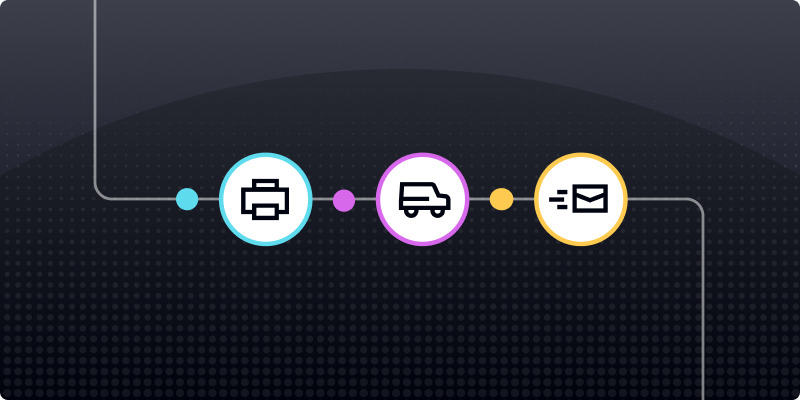
Your direct mail technology should connect customer data, creative, address verification, production, delivery visibility, and reporting in one workflow.

That connection may use:

  • A direct mail API
  • A native CRM or marketing platform integration
  • A no-code automation tool
  • A custom internal integration
  • A combination of these options

An API provides greater flexibility for complex or high-volume programs, but not every team needs to begin with a custom build. The right approach depends on campaign volume, available technical resources, and the level of control required.

When you connect direct mail to your marketing technology stack, mail can respond to the same customer events that already shape email, SMS, sales, and advertising workflows.

Map the complete campaign workflow

Document what should happen from the moment a customer qualifies until campaign results appear in your reporting.

A typical workflow might include:

  1. A customer event occurs in the CRM.
  2. Eligibility and suppression rules are checked.
  3. The required customer data is sent to the mail platform.
  4. The mailing address is verified.
  5. The correct template and personalization fields are selected.
  6. The mailpiece enters production.
  7. Production and postal events are recorded.
  8. Campaign activity returns to the CRM or reporting platform.
  9. Customer responses and conversions are attributed to the campaign.

The workflow should account for both positive and negative outcomes. Decide what happens when an address cannot be verified, a required field is missing, or the customer converts before the piece enters production.

Build reusable templates

Reusable templates keep your brand and campaign structure consistent while allowing selected elements to change.

Before launch, generate test versions using different customer records. Review examples with:

  • Long names
  • Apartment or unit numbers
  • Different offers
  • Missing optional fields
  • Regional content
  • Several image variations
  • Different QR codes or URLs
  • The shortest and longest expected copy

This is more reliable than approving one generic proof that does not reflect how the template will behave with real data.

Create a consistent campaign naming system

Assign each campaign, audience, and creative version a clear identifier. These identifiers can be stored as metadata and passed between your direct mail platform, CRM, landing pages, and reporting tools.

A consistent structure makes it easier to answer questions such as:

  • Which audience received the piece?
  • Which offer did they see?
  • Which creative version was used?
  • When did the piece enter production?
  • Which campaign generated the response?
  • Has the customer received similar mail before?

Without consistent identifiers, reporting becomes another manual project.

Step 3: Measure results and improve each campaign

A growth engine needs a feedback loop. Sending more mail is not the goal. The goal is learning which audiences, messages, offers, and workflows produce meaningful business results.

Choose the primary objective before the campaign launches. That objective might be:

  • Acquiring customers
  • Recovering abandoned purchases
  • Increasing renewals
  • Reactivating inactive customers
  • Generating appointments
  • Encouraging account upgrades
  • Increasing repeat purchases
  • Reducing manual operational work

Then choose the metrics that reflect that objective.

Useful direct mail KPIs may include:

  • Address rejection rate
  • Delivery activity
  • Response rate
  • Conversion rate
  • Cost per response
  • Cost per acquisition
  • Revenue generated
  • Renewal or reactivation rate
  • Customer lifetime value
  • Operational time saved

Do not rely only on the number of pieces produced or mailed. Those are activity metrics, not proof that the campaign achieved its goal.

Connect physical mail to customer responses

Every campaign should include a way to connect responses to the mailpiece.

Options include:

  • Unique promotional codes
  • QR codes
  • Personalized URLs
  • Dedicated phone numbers
  • Campaign-specific landing pages
  • Reply cards
  • CRM matchback analysis

The landing page or response experience should continue the same message, offer, and branding as the mailpiece. Sending recipients to a general homepage adds friction and makes attribution harder.

Delivery visibility also helps establish when recipients were likely exposed to the campaign. A strong direct mail tracking workflow combines postal activity with response and conversion data rather than treating a production or mailstream event as proof that the customer acted.

Run controlled A/B tests

Testing helps turn campaign results into clear decisions.

Begin with one specific question, such as:

  • Does a deadline-driven offer outperform an open-ended offer?
  • Does a postcard generate more responses than a letter?
  • Does personalized imagery improve conversion?
  • Does one audience segment produce a lower acquisition cost?
  • Does a QR code outperform a printed URL?

A reliable direct mail A/B test changes one major variable while keeping the audience, timing, and remaining campaign elements as consistent as possible.

Each version should have its own tracking method. Give the campaign enough time for production, postal delivery, and customer response before choosing a winner.

The appropriate sample size depends on your expected response, audience, budget, and the size of the difference you need to detect. Avoid relying on one fixed volume for every test.

Once a version performs well enough to become your new baseline, test another variable against it. That is how results begin to compound over time.

Start with one repeatable campaign

Building a direct mail growth engine does not require launching several automated campaigns at once.

Choose one use case with:

  • A clear customer trigger
  • Reliable CRM data
  • A meaningful business goal
  • Reusable creative
  • A measurable response
  • Enough volume to evaluate performance

Document the workflow, test the templates and eligibility rules, and establish a baseline. Once the campaign runs reliably, you can introduce another segment, offer, trigger, or customer journey stage.

Over time, the program becomes easier to operate because your team is no longer starting from zero. You have approved templates, established data connections, proven triggers, reporting standards, and past results to guide the next decision.

Lob connects CRM data, dynamic templates, address verification, automated production, delivery visibility, and campaign measurement in one platform. Book a demo to see how your team can build and scale a direct mail growth engine.

Frequently asked questions about direct mail growth engines

FAQs

‍What is the difference between a direct mail campaign and a growth engine?

A direct mail campaign is an individual marketing effort sent to a specific audience.

A direct mail growth engine is the repeatable system behind multiple campaigns. It connects customer data, campaign triggers, templates, production, tracking, testing, and reporting so each send can improve the next one.

How does a CRM connect to direct mail?

A CRM can connect to a direct mail platform through an API, native integration, webhook, no-code connector, or custom workflow.

When a defined customer event occurs, the workflow sends the necessary customer and campaign data to the direct mail platform. The platform creates and produces the mailpiece, while tracking information can flow back into the CRM.

What should you personalize in direct mail?

Personalize the elements that make the message more relevant, such as the product, offer, timing, image, location, deadline, or call to action.

You do not need to personalize every field. Begin with reliable data that clearly affects what the recipient needs or is likely to do next.

How do you measure direct mail performance?

Use campaign-specific QR codes, URLs, promotional codes, phone numbers, landing pages, and CRM data to connect responses and conversions to the mailpiece.

Track metrics that match the business goal, such as response rate, conversion rate, cost per acquisition, revenue, renewals, or reactivations.

Can direct mail be automated without an API?

Yes. Some teams use native integrations or no-code automation tools to connect their CRM or marketing platform to direct mail.

An API may provide more control for complex logic, custom data requirements, or high-volume programs, but it is not the only way to automate a campaign.

Answered by:

Image of Sam Melero

Sam Melero