
Tax season can put a lot of pressure on operations teams. Between generating forms, printing documents, stuffing envelopes, and handling returned mail, the manual work adds up quickly.
Direct mail automation gives teams a more consistent way to manage tax documents and account notices at scale. With the right setup, you can connect your data systems to an automated print and delivery workflow that reduces manual effort, improves visibility, and helps keep important communications moving on time.
Why teams automate tax documents and account notices by mail
Teams automate tax documents and account notices by mail to reduce operational strain, improve consistency, and create a more reliable delivery process. Instead of relying on manual exports, print runs, and vendor handoffs, automation connects your systems more directly to production and delivery.
That matters most when timelines are fixed and volume is high. It gives teams more time to handle approvals, exceptions, and follow-up instead of spending days moving files and managing envelopes. It can also support a more measurable program, especially for teams already thinking about direct mail ROI as part of a broader operations strategy.
- Reduce manual bottlenecks: Traditional workflows often involve spreadsheets, file handoffs, proofing cycles, and vendor coordination.
- Support better consistency: System-based workflows help reduce reliance on manual steps.
- Improve visibility: Tracking and status updates can make mail easier to monitor.
- Scale more easily: The same workflow can support hundreds or thousands of mailpieces.
What types of documents can be automated
Different document types call for different workflows. The kind of mail you are sending shapes the triggers, templates, approval steps, and tracking requirements you may need.
Tax forms and year-end statements
Documents like 1099s, W-2s, and year-end summaries often follow a fixed annual timeline. Automation can help teams pull data from payroll or accounting systems, generate documents, and move them into production through a more repeatable process.
Account statements and balance notices
Statements, balance summaries, and transaction notices often run on a recurring schedule. These mailpieces may be triggered at the end of a billing cycle or when an account reaches a defined threshold.
Regulatory and compliance notices
Privacy updates, disclosure notices, and policy change communications often need a clear record of when they were sent. Automation can help create a consistent workflow and maintain better documentation.
Payment reminders and collection letters
Past-due notices, reminder letters, and account status communications often depend on account activity. When a balance becomes overdue or a payment is missed, the workflow can generate the appropriate notice automatically.
How direct mail automation works
The workflow usually follows a simple pattern: data goes in, documents are generated, and delivery activity is tracked through the process.
1. Connect your data sources
Automation starts with the systems that hold your customer and document data. That may include your CRM, ERP, billing platform, payroll system, or accounting software.
Once connected, those systems can pass recipient information, account details, and document data into your mail workflow. Some teams also use the same trigger to coordinate physical mail with digital communications.
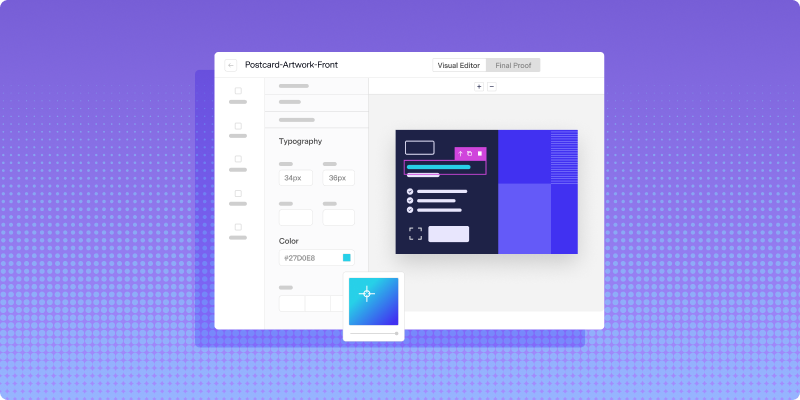
2. Build templates with dynamic personalization
Templates define the design and structure of each mailpiece. They also control which fields are populated dynamically, such as recipient name, address, account number, or balance.
The goal is to build a template once and reuse it across large sends. That helps teams keep branding and formatting more consistent while reducing repetitive production work.
3. Set trigger rules
Triggers control when a document is created and mailed. A workflow might run at year-end, when a balance reaches a threshold, or when a customer action changes account status.
Some teams use APIs for more advanced orchestration, while others prefer no-code tools like Power Automate. Either way, the value comes from making mail a system-driven process instead of a manual one.
4. Automate print and delivery
Once a job is triggered, the platform moves it into production. That can include printing, inserting, and routing the piece into the mail stream without requiring the same level of manual handling from your team.
A distributed print model can also support a more efficient operational workflow by producing mail closer to where it is going, which is one reason teams evaluating modern direct mail services often look for more automation and visibility across the process.
5. Track each mailpiece
Traditional mail can feel hard to monitor once it leaves production. Automated mail workflows can give teams more visibility by surfacing status updates and delivery events in one place.
That visibility can be useful for both customer support and internal operations. If someone asks when a document was mailed, your team has a clearer way to check the status.
How integration supports scale
Mail automation works best when it fits into the systems your team already uses. Integration is what makes triggered, personalized mail possible at higher volume.
CRM and customer data integration
Your CRM or customer data platform can supply the recipient data and event triggers that support personalized mail. That might include a new account, a renewal milestone, or a missed payment.
ERP and accounting system integration
For tax documents and financial notices, your ERP or accounting system is often the source of truth. Pulling that data directly into your mail workflow can reduce manual file movement and help limit avoidable errors.
API and no-code options
Technical teams may want direct API control for flexibility. Other teams may prefer no-code tools or prebuilt connectors that make setup faster and easier to manage.
- CRM platforms: Contact and customer data
- CDPs: Unified profiles and segmentation
- ERP and accounting systems: Financial and tax-related records
- Automation tools: Cross-channel workflow coordination
Compliance and security considerations
When you are sending documents that contain account data, tax information, or other sensitive details, compliance and data handling matter just as much as operational efficiency.
Sensitive communications need careful handling
Organizations sending financial, healthcare, or regulated customer communications often need workflows that support stronger controls around document generation, data handling, and delivery records.
Address quality matters
Address accuracy plays a direct role in deliverability. Address verification before production can help reduce returns, improve mail quality, and make high-volume programs easier to manage.
Deadlines still require operational discipline
Tax forms and required notices often come with fixed mailing windows. Automation can help reduce delays by removing some of the manual steps that slow production down.
How to track delivery and support compliance
Delivery visibility is useful for more than day-to-day operations. It can also help create a clearer record of what was mailed and when.
Delivery tracking
When delivery events are surfaced inside a platform, teams can monitor mail as it moves through production and the postal system. That gives customer-facing teams better information and helps operations teams identify issues earlier.
Delivery records for follow-up and review
For compliance-driven communications, delivery records can support internal reviews, customer inquiries, and process documentation. Automated systems can make those records easier to access.
Returned mail and exception handling
Not every piece will be deliverable on the first attempt. A strong workflow should make returned mail and address issues visible so teams can update records and resend when appropriate.
Best practices for a smoother workflow
A strong automation program depends on more than connecting systems. A few process decisions can make the workflow more reliable from the start.
Validate addresses before sending
Address verification should happen before production, not after returns begin. Standardizing records upfront can help reduce waste and improve deliverability.
Test templates before large runs
A small proof run can catch formatting issues, broken variable fields, and mapping errors before they affect a larger audience. Testing should be part of the normal workflow, especially for high-volume sends.
Add approval steps for sensitive documents
Tax forms, account notices, and regulated communications often benefit from a review step. Approval workflows help teams catch issues before documents move into production.
Monitor performance over time
Tracking delivery timing, returned mail, and operational exceptions can help teams improve the workflow over time, which also makes broader direct mail optimization efforts more informed.
A more manageable workflow for important mail
Automating tax documents and account notices can help teams reduce manual effort, improve consistency, and create a more trackable delivery process. Instead of managing production through disconnected systems and manual handoffs, teams can run mail through a centralized workflow that is easier to manage.
To see how Lob fits into that process, Book a demo.
FAQs

How long does automated tax document mail take to deliver?
Delivery timing depends on the mail class, destination, and production schedule. A distributed print and delivery workflow can support more predictable operations by reducing delays before mail enters the stream.
Can teams automate both first-class and standard mail?
Yes. Many direct mail workflows can support different mail classes depending on urgency, document type, and business requirements.
What happens if a mailing address is invalid?
Address verification can catch many issues before a mailpiece is produced. If a piece is still returned, the workflow should make that exception visible so your team can update records and resend if needed.
How do you handle last-minute changes before a send?
That depends on where the job is in the workflow. If production has not started yet, teams can often update recipient data, templates, or send criteria before the piece moves forward.
Is automated mail more efficient than in-house printing?
It can be more efficient for teams managing higher volumes or more complex workflows, especially when automation reduces manual production steps and makes delivery easier to track.
Can you automate multiple document types in one workflow?
Yes. A single workflow can support multiple document types when triggers, templates, and business rules are set up correctly.
Answered by:

Sam Melero
.png)